Introduction
Hiring documents are your first experience of the company — and a common source of friction, exclusion, and legal risk when they aren’t accessible. Between remote workflows, e-signatures, and increasingly diverse candidate pools, organizations need hiring forms and offer letters that meet WCAG standards while staying easy to manage. Document automation and a well-curated template library can help you scale inclusive practices without slowing hiring.
This post gives you practical, ready-to-use guidance: a concise WCAG checklist, tips for building accessible Word/Google Docs and PDFs, best practices for inclusive e-sign flows and confidential accommodation automation, localization and plain‑language clause guidance, plus Formtify starter templates and testing steps. Use these recommendations to version and tag accessible business templates so your HR, legal, and hiring teams can find, test, and reuse compliant assets quickly.
Accessibility checklist for hiring documents: contrast, labels, keyboard nav and readable language
High-level checklist
- Contrast: Ensure text and interactive controls meet WCAG AA contrast ratios (4.5:1 for normal text, 3:1 for large text). Use a color-contrast tool and provide non-color cues for status (icons or text).
- Labels and semantics: Every form control needs an explicit label (not placeholder only). Use semantic headings and list structures so screen readers can navigate quickly.
- Keyboard navigation: All fields, buttons and error messages must be reachable and operable via keyboard only. Ensure a clear tab order and visible focus indicators.
- Readable language: Write in plain language: short sentences, active voice, bullet lists for steps, and a short defined glossary for legal terms.
- Error handling: Provide inline errors that link to the field and describe how to fix issues. Include ARIA alerts for dynamic messages where applicable.
- Document structure: Use heading levels (H1–H3) consistently, avoid using visual styling in place of structure, and include a table of contents for long application forms.
- Images & icons: Provide descriptive alt text for images that convey meaning; decorative images should be empty alt (alt=””).
- Accessible tables: Use simple tables with table headers and summaries for schedules or salary grids.
Contextual notes
- If you maintain a library of business templates (offer letters, forms, onboarding docs), add an accessibility flag and a checklist result to each template record.
- Include common keywords in template metadata so hiring teams can find accessible templates: e.g., employee onboarding templates, templates for business process, business document automation.
Designing offer letters and application forms that work in Word, Google Docs and screen readers
Use native structural elements
In Word and Google Docs, rely on built-in headings, ordered lists, and the native table tool. Avoid free‑position text boxes, images of text, and complex multi-column layouts that break screen-reader flow.
Practical checks
- Styles: Apply Heading styles (H1–H3) for sections. Screen readers use these to jump around documents.
- Form fields: In Word use Content Controls with labels; in Google Docs prefer inline labeled fields or use Google Forms for interactive capture (better keyboard support).
- Export to PDF: When you create PDFs, choose “accessible/export tagged PDF” options so structure is preserved for screen readers.
- Avoid: Scanned images of signed letters and untagged PDFs. These are common traps when using a business templates pack without accessibility checks.
Templates and formats
- Maintain parallel assets: a Word version, a Google Docs version, and an accessible PDF. Track which templates are built as business templates word and which are business templates google docs.
- Consider keeping an editable offer letter template that separates legal clauses from personalized content so you can swap language without reformatting.
Resources
- Start from a tested offer letter like this Formtify template: Job Offer Letter.
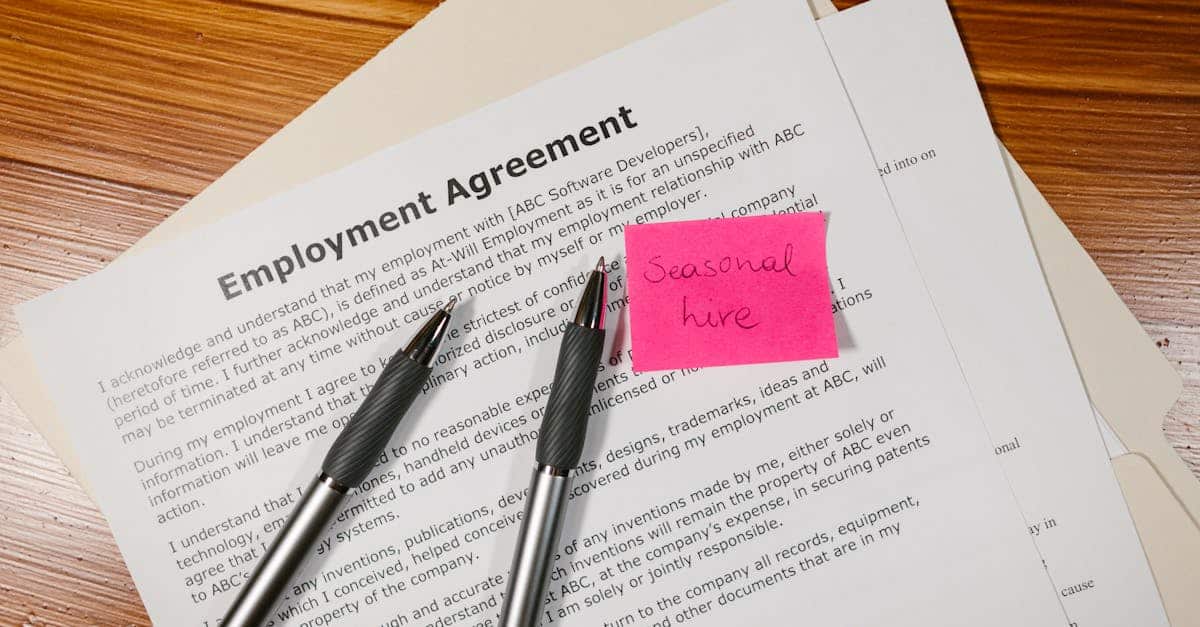
- For role-specific legal language, keep a vetted employment agreement reference in your library: Employment Agreement (California).
E‑sign accessibility: accessible signing flows, time‑bound links and alternative verification
Designing accessible signing flows
Choose e-sign providers that expose semantic controls, support keyboard-only signing, and provide clear on-screen instructions. Ensure focus order, readable button labels (not just icons), and visible error messages for failed validations.
Time‑bound links and remediation
- Time-bound links: Communicate expiration clearly and offer a one-click “request extension” flow that is keyboard and screen-reader accessible.
- Fallbacks: Provide alternative verification methods (phone-based OTP, emailed secure token, assisted signing via a verifier) for users who cannot use the main e-sign flow.
Audit trails and privacy
- Keep machine-readable audit logs that record timestamps, IP ranges (if required), and method of verification while minimizing sensitive personal details stored in plain text.
- Provide an accessible receipt or confirmation page/document that can be downloaded as an accessible PDF.
Compliance tips
- Offer an alternative signing process for candidates who need accommodations and log the accommodation request separately to preserve confidentiality.
- Test the full signing flow with screen readers (NVDA, VoiceOver) and keyboard alone, and document any accessibility exceptions in the template metadata.
Automating reasonable‑accommodation requests while preserving confidentiality and audit trails
Design principles
Automate intake for accommodation requests but separate the workflow from the hiring decision systems. That limits access and preserves confidentiality while enabling a reliable audit trail.
Implementation checklist
- Minimal data capture: Ask only what’s needed to assess the request. Avoid collecting medical details unless essential.
- Segregated routing: Route requests to a dedicated accommodation team inbox or case-management system with role-based access controls.
- Encryption & access logs: Encrypt requests in transit and at rest. Keep immutable audit logs that record who viewed or updated the request, timestamps, and actions taken.
- Automated acknowledgements: Send accessible confirmation messages that explain next steps and expected timelines.
- Retention & deletion policies: Apply a retention schedule aligned with legal requirements; avoid adding accommodation details to general applicant records.
Automation tools & templates
Use form workflows that integrate with HR systems and keep a set of tested employee onboarding templates and accommodation response templates. Model automated responses as plain-text and HTML alternatives to ensure compatibility with assistive technologies.
Localization and plain‑language clauses for diverse candidate pools
Localization basics
Localize not just language but also dates, number formats, address fields, and legal references. Make localized versions part of your template library to ensure consistent, accessible experiences across markets.
Plain-language clause guidance
- Short sentences: Break complex legal clauses into numbered steps or bullet points.
- Avoid jargon: Use common terms; if a legal term is necessary, define it immediately in plain language.
- Multiple-language support: Provide translations and a short note about which language controls in case of legal conflicts.
- Readability testing: Score documents for reading level and test translations with native speakers and screen-reader users.
Brand and tone
Pair your localization work with a brand style guide template so translations preserve tone (e.g., friendly vs. formal). This is useful across other resources like a marketing plan template, meeting agenda template, or project plan template.
Formtify templates to start with and how to test for WCAG compliance
Formtify starting templates
- Job Offer Letter: https://formtify.app/set/job-offer-letter-74g61
- Employment Agreement (California): https://formtify.app/set/employment-agreement—california-law-dbljb
- Employment Verification Letter: https://formtify.app/set/78-employment-verification-letter-6fexi
- Appointment Letter: https://formtify.app/set/appointment-letter-27avk
How to test for WCAG compliance
- Automated checks: Run tools like axe, WAVE, or Lighthouse on web forms and accessible PDFs. These catch contrast, missing labels, and ARIA issues quickly.
- Manual keyboard test: Navigate the document/form and signing flow using only a keyboard. Confirm focus order and visible focus states.
- Screen-reader test: Test with NVDA (Windows) and VoiceOver (macOS/iOS); check logical reading order and available labels.
- Color-contrast: Use contrast checkers and ensure non-color cues for status indicators.
- PDF checks: Use Adobe Acrobat accessibility checker and validate tagged structure; export tagged PDFs from Word/Google Docs correctly.
- Regression & audit: Add accessibility checks into your release checklist for any template changes and version your business templates so you can roll back if a change introduces regressions.
Keep a living template library
- Include metadata for each asset: source format (Word/Google Docs), accessibility status, last test date, and keywords like business templates free, business templates for startups, business templates pack, business templates google docs.
- Document how to create a business template internally and incorporate business document automation workflows for routine tasks like sending offer letters or an invoice template.
Summary
Inclusive hiring documents reduce candidate friction and legal risk by pairing a simple WCAG checklist (contrast, labels, keyboard navigation, readable language) with practical formats and workflows: accessible Word/Google Doc/PDF templates, keyboard‑friendly e‑sign flows, confidential accommodation automation, and localized plain‑language clauses. Document automation and a well‑curated template library let HR and legal teams scale compliant business templates quickly, cut repetitive work, maintain clear audit trails, and keep hiring moving. Make accessibility testing and metadata part of your template lifecycle so changes don’t introduce regressions, and start from vetted starter sets to save time. Explore ready‑made templates and integrations at https://formtify.app to get started.
FAQs
What are business templates?
Business templates are preformatted documents and forms—like job applications, offer letters, and onboarding checklists—created to standardize routine processes. They save time, improve consistency, and make it easier to apply accessibility and legal controls across hiring and HR workflows.
Where can I find free business templates?
You can find free starter templates from template libraries and vendors that publish accessible sets; Formtify provides ready‑to‑use offer letters and employment templates designed to be accessibility‑friendly. Always check metadata and test any free template for WCAG compliance before using it in live hiring processes.
How do I customize a business template?
Customize templates by separating fixed legal clauses from variable fields, using built‑in styles (headings, lists), and localizing dates and formats for your markets. Maintain versioning and accessibility metadata, and run the same accessibility and legal review each time you make changes.
Are business templates legally binding?
Templates themselves are not inherently non‑binding—the content and how a document is executed determine enforceability. Use clear signature and e‑sign processes, confirm jurisdictional language with counsel, and retain accessible audit trails so the document can be relied on if needed.
Can I use the same template for multiple businesses?
You can reuse a template across entities, but you should adapt branding, jurisdictional clauses, and tax or legal references for each business. Maintain separate localized or entity‑specific versions with clear metadata to avoid compliance mistakes.