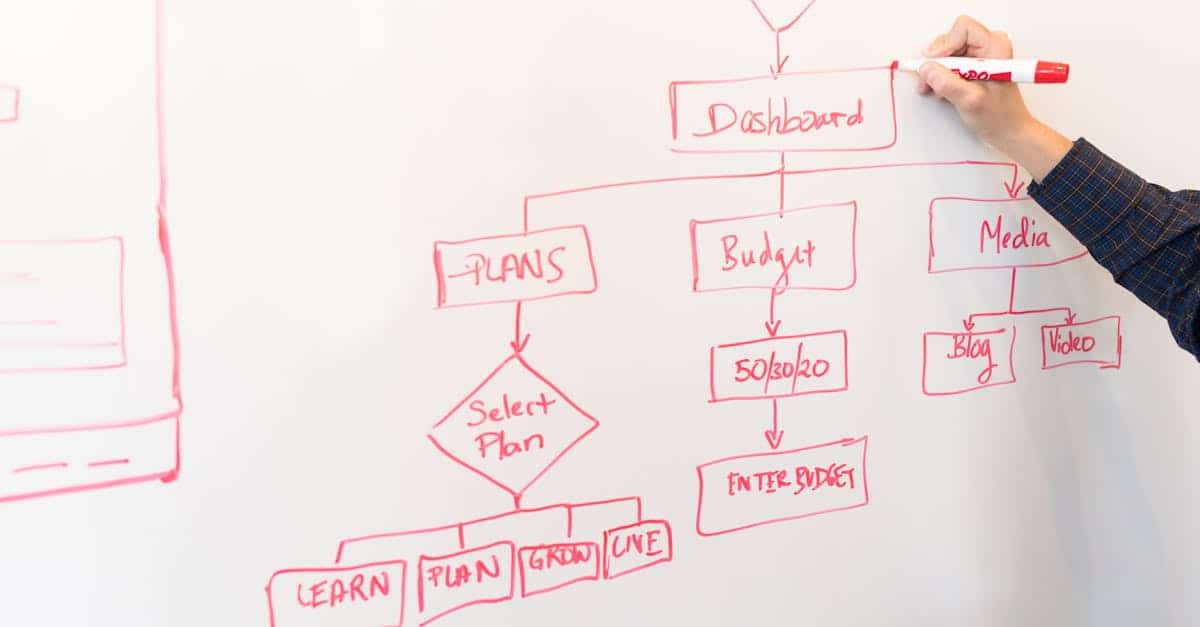
Introduction
Too many small and mid‑sized teams still spend billable hours chasing versioned docs, reconciling calendars, and routing approvals by email—then wonder why launches slip and invoices get delayed. A practical fix is to combine simple, no‑code project visuals (think No‑code Gantt) with automated task handoffs and client deliverable checklists so milestones, owners, and acceptance steps stay in sync without constant manual updates. Add lightweight document automation and e‑sign, and you close the loop between plans, contracts, and payments.
This article walks through what a reliable project plan template must include—scope, milestones, Gantt, and a RACI—then shows no‑code automation patterns, high‑impact integrations, error‑proofing techniques, and real use cases (website launches, sprints, onboarding). You’ll also see how to bundle those pieces into a repeatable project pack, including ready‑to‑use business templates, so teams can start delivering consistently and auditable results with minimal overhead.
Core components every project plan template needs (scope, milestones, Gantt, RACI)
Scope: Define deliverables, exclusions, and success criteria in one clear section. Scope prevents scope creep and is the single reference point for client or stakeholder conversations.
Milestones: Break the scope into measurable milestones with acceptance criteria and owners. Use short bullet entries so each milestone is actionable.
Essential fields
- Milestone name — what will be delivered
- Acceptance criteria — how we know it’s done
- Owner — responsible party
- Planned date — target completion
Gantt / timeline: A visual timeline ties milestones to dates and dependencies. Even a simple start‑to‑finish bar view helps surface sequencing and resource conflicts. For software or website projects, link milestone dates back to sprint or launch windows.
RACI matrix: Capture who is Responsible, Accountable, Consulted, and Informed for each milestone or major task. A one‑page RACI reduces handoffs and clarifies approvals.
Practical tips
- Keep one canonical project plan template per project type (e.g., website vs. software).
- Include a quick “at‑a‑glance” section: status, percent complete, key risks.
- Reference contract‑level documents (SOWs or agreements) for legal alignment — see an example software development agreement for structure: https://formtify.app/set/software-development-agreement-jm656.
No‑code automation patterns: auto‑populate milestones, trigger task assignments, and sync due dates
Automation removes repetitive updates and keeps plans accurate. No‑code tools can auto‑create and update plan items from a single source of truth.
Common patterns
- Auto‑populate milestones — use a project template to generate milestone rows and default dates when a project record is created.
- Trigger task assignments — on milestone creation, automatically create tasks and assign owners based on the RACI or role mapping.
- Sync due dates — when a milestone date changes, push updates to task due dates, calendar events, and downstream deliverables.
These patterns reduce errors and speed onboarding for project managers and stakeholders. They’re especially useful for repeatable workflows like sprints and client onboarding.
Implementation tips
- Map template fields to your automation tool (e.g., milestone → task list → owner).
- Design safe triggers: use status checks or approval gates before mass updates.
- Keep a human override so exceptions don’t break the automation.
For contract‑driven projects, connect the automation to your contract templates or service agreements so milestones and payment triggers align — see a service agreement template set here: https://formtify.app/set/service-agreement-94jk2.
Integrations that matter: PM tools, calendars, time tracking and e‑sign for deliverables
Integrations let your project templates become living workflows. Prioritize connections that reduce manual handoffs and improve traceability.
High‑impact integrations
- Project management tools — sync tasks and statuses with Jira, Asana, Trello, or MS Project so the plan and execution are one source of truth.
- Calendars — push milestone and meeting dates to Google Calendar or Outlook so stakeholders see commitments in their daily schedules.
- Time tracking — link to Harvest, Toggl, or built‑in trackers for better forecasting and invoicing.
- E‑sign — integrate DocuSign or similar to capture approvals for deliverables and SOWs; this closes the loop on acceptance.
When possible, map template fields to the integration fields (e.g., milestone → calendar event; owner → assignee) to enable seamless updates. If you maintain business templates in Word or Google Docs, ensure you have connectors for those formats (business templates word / business templates google docs) to avoid rework.
For practical examples of bundled templates that include scopes and deliverables tied to PM workflows, see a website development template set here: https://formtify.app/set/website-development—simple—ny-laws-2j1m3 and a software development contract pack: https://formtify.app/set/hop-dong-phat-trien-phan-mem-3teci.
Error‑proofing and compliance: versioning, change logs and client approval gates
Versioning — keep every iteration of a project plan and related documents. Label versions clearly (v1.0, v1.1) and record the date and author for audits.
Change logs — require a short description, rationale, and approver for any change to scope, milestones, or dates. Store change logs with the project record.
Client approval gates
- Define explicit approval steps for milestone acceptance and scope changes.
- Use e‑sign and timestamped approvals for legal validity.
- Lock downstream automations until approvals are recorded to prevent cascading errors.
Auditability is critical for regulated projects and for billing disputes. Tie your approval gates into contract or service agreement templates so obligations match what’s in the plan — a good contract template can be found here: https://formtify.app/set/service-agreement-94jk2.
Use templates for routine compliance tasks (brand reviews, security checks, legal signoffs) and consider adding automated reminders to ensure no compliance step is missed. This reduces risk and makes audits straightforward.
Practical use cases: website launches, software sprints and client onboarding projects
Website launches: Use a project plan template that groups tasks into discovery, design, build, QA, and launch. Include a marketing plan template and meeting agenda template for stakeholder syncs and launch checklists.
- Auto‑create content tasks from the marketing plan template.
- Push launch milestones to calendars and social schedules.
- Attach final deliverables to an e‑sign flow for client acceptance.
Software sprints: Create a sprint‑specific project plan template with Gantt view for releases, a RACI for sprint roles, and linked sprint backlog tasks. Pair with a software development agreement to align delivery and payment terms: https://formtify.app/set/software-development-agreement-jm656.
- Trigger task assignments at sprint start.
- Use versioning to track release candidates.
Client onboarding: Standardize new client setups with a project pack that includes welcome checklist, kickoff meeting agenda, invoicing flow (use an invoice template), and employee onboarding templates for internal assignments.
- Automate initial invoice creation from the onboarding plan.
- Prepopulate client contact info across templates to reduce data entry.
Recommended templates and how to bundle them into a project pack
Bundle the right set of business templates into a project pack so teams can start quickly and consistently.
Core templates to include
- Project plan template (scope, milestones, Gantt, RACI)
- Business plan template for strategic alignment
- Marketing plan template for launch and promotion
- Invoice template for billing milestones
- Meeting agenda template for planning and retrospectives
- Brand style guide template to keep deliverables on brand
- Employee onboarding templates for internal resource ramp‑up
- Contracts / service agreement templates to lock scope and payments — see ready sets: https://formtify.app/set/service-agreement-94jk2 and https://formtify.app/set/website-development—simple—ny-laws-2j1m3
How to assemble a pack
- Start with a master project plan template and link each related document by role and milestone.
- Provide multiple formats: Word and Google Docs (addressing business templates word and business templates google docs needs).
- Offer a free starter kit or a paid project templates pack (business templates free option vs. premium packs for startups).
- Include short guidance on how to customize each template for brand and process, and a note on business document automation for recurring setups.
For development teams, include a software contract and a localized dev contract bundle for quick legal alignment: https://formtify.app/set/hop-dong-phat-trien-phan-mem-3teci and https://formtify.app/set/software-development-agreement-jm656.
Summary
Good project plan templates combine a clear scope, measurable milestones, a visual Gantt or timeline, and a one‑page RACI so teams always know what’s due and who approves it. Layering simple no‑code automation—auto‑populated milestones, triggered task handoffs, synced due dates—and high‑impact integrations (calendars, time tracking, e‑sign) turns that template into a low‑friction workflow that reduces manual updates and audit risk. For HR and legal teams this means fewer versioning disputes, predictable acceptance gates, and traceable approvals that speed onboarding, invoicing, and compliance reviews. If you want a ready set of business templates and starter packs to try these patterns, visit https://formtify.app to get started.
FAQs
What are business templates?
Business templates are prebuilt documents and process blueprints—like project plans, invoices, contracts, and onboarding checklists—that standardize work and reduce repetitive setup. They capture fields, acceptance criteria, and roles so teams launch consistently and focus on execution rather than document assembly.
Where can I find free business templates?
You can find free business templates from professional marketplaces, open‑source repositories, and vendor starter kits; many PM and legal SaaS providers also offer free starter packs. If you prefer curated, ready‑to‑use sets that map to automation patterns, vendor libraries like the one at Formtify are a quick way to start.
How do I customize a business template?
Start by updating the scope, milestones, and acceptance criteria to match your project type, then apply your brand and role mappings (owner, approver) for automation. Run a short pilot and have legal or compliance review any contract clauses before rolling the template into an automated project pack.
Are business templates legally binding?
A template on its own is not a legally binding agreement; binding effect comes from signed contracts or SOWs and documented approvals. To create enforceable obligations, incorporate the template into a signed service agreement or e‑sign flow and record timestamps and version history for auditability.
Can I use the same template for multiple businesses?
Yes, the same core template can be reused, but you should adapt branding, jurisdictional clauses, pricing, and compliance steps for each business. Keep a canonical master and create lightweight variants so changes and approvals remain traceable across different companies or client setups.